



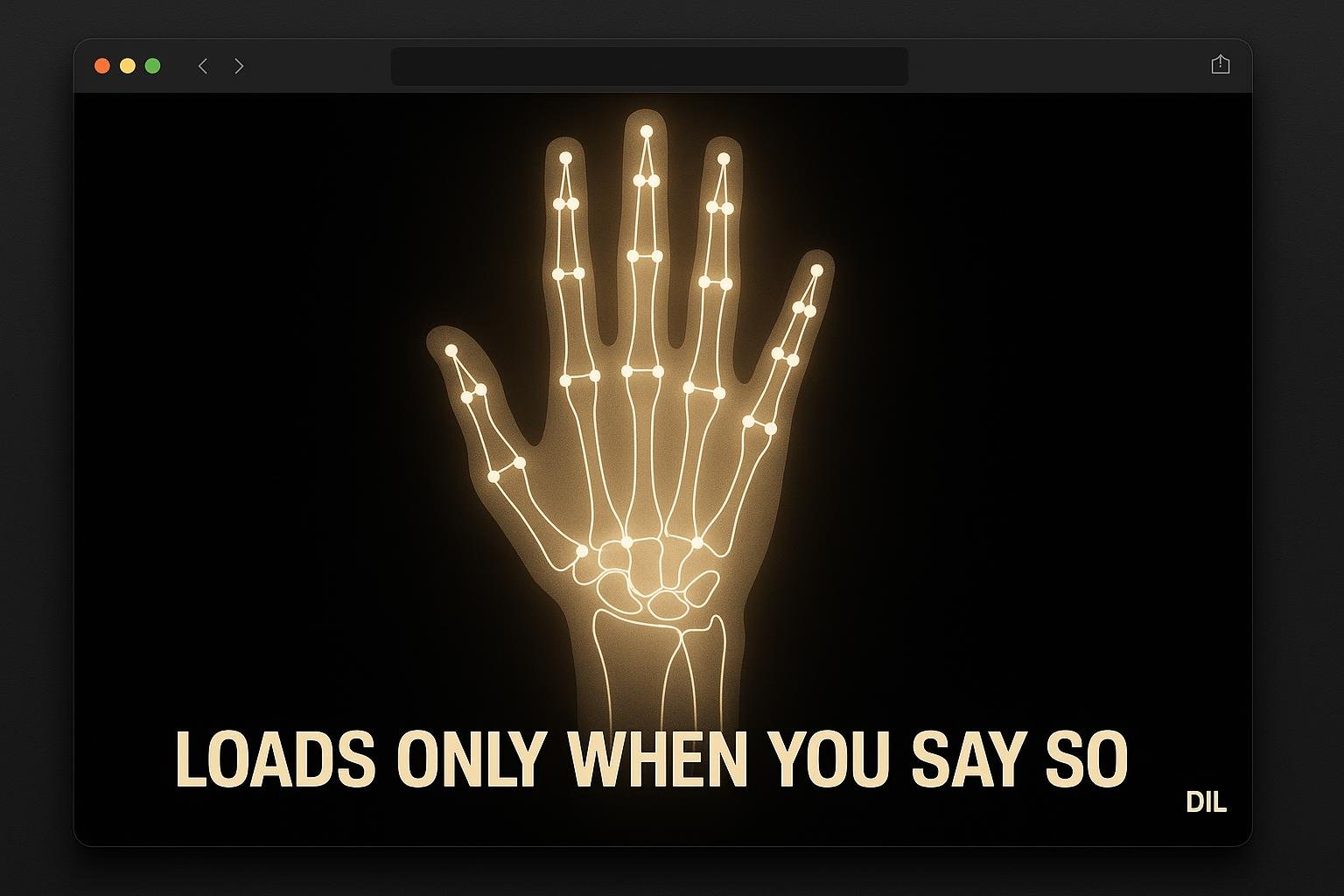
The instrument on dil.dev is easy to miss. It makes no sound when you find it, loads nothing heavy, and never shows you your own face or hands. It only becomes real when you click Start, at which point about 20 MB of carefully self-hosted code arrives and your hands become lines on a canvas.
Three Ways to Open It, None of Them Obvious
There is no nav link. The entry points are:
- The footer Play link. A
data-playlink insite/lib/chrome.mjs, sitting with the other footer links. - Typing the word play. A
wordListenerinsite/src/play/overlay.jswatches keystrokes across the whole page. Type the word anywhere and the overlay appears. - Navigating to
/#play. The overlay listens for bothhashchangeevents and the initial hash on load.
All three routes do the same thing: fade the overlay in by opacity. No audio context is created. No camera permission is requested. The page weight does not change. You are just looking at an interface.
What Start Actually Loads
Clicking Start is the moment the cost arrives. Two things are fetched:
- Tone.js, the audio synthesis library.
- The self-hosted MediaPipe stack, which means the wasm binary plus
site/public/play/hand_landmarker.task.
Together those come to roughly 20 MB. That number matters because it is a deliberate deferral. The site does not pay that cost for every visitor, only for the ones who actively choose to use the instrument. If you open Play and close it without clicking Start, you have downloaded nothing unusual.
The hand landmarker task file is the trained model MediaPipe uses to find 21 landmarks per hand. It lives in site/public/play/ rather than being pulled from Google's infrastructure at runtime.
Why the Camera Feed Is Never Shown
This is the part that surprises people. You grant camera permission, the instrument works, and yet you never see yourself.
The camera picture goes into MediaPipe and stops there. What comes out is a set of landmark coordinates, 21 points per detected hand, in normalised screen space. Those coordinates go to site/src/play/hands.js and site/src/play/draw.js. Draw.js renders lines connecting the landmarks onto a canvas. That canvas is what you see.
There is no video element. There is no drawImage call putting the camera frame onto the canvas. The raw pixel data never touches the DOM in a visible way.
This is not a privacy policy claim, it is just what the code does. Self-hosting the wasm means no request leaves the browser toward Google's CDN either. The only network activity after Start is whatever Tone.js needs to synthesise audio, which is nothing, it runs locally.
For anyone curious about a different approach to on-page ML assets, the 3D face mesh compression note covers how aggressively you can shrink model files before shipping them.
How a Pinch Becomes a Note
The landmark data flows like this:
- MediaPipe detects hands in each camera frame and emits landmark arrays.
hands.jsreceives those arrays and interprets gesture state. A pinch, the tip of the thumb close to the tip of the index finger, is the primary trigger.draw.jstakes the same landmark data and draws the skeleton: lines between joints, rendered on the canvas each frame.- Tone.js receives the gesture output from
hands.jsand triggers the corresponding note or chord.
The draw and audio paths are parallel. Drawing does not block audio and audio does not block drawing. The canvas gives you visual feedback on what the instrument is reading, which is useful because you cannot see the camera feed to judge your own hand position.
Pitch and other parameters map to hand position and gesture state. The exact mapping lives in hands.js and is worth reading if you want to fork the instrument.
The skull does not open Play. The header comment in site/src/play/overlay.js lists the real ways in: the footer Play link, typing play, or /#play.
What I'd do differently
- Show the payload size in the UI. Something like "Start (loads ~20 MB)" next to the button. Users who are on mobile data or a slow connection would appreciate the warning before committing.
- Add a landmark-only mode without audio. Sometimes you want to verify the hand tracking is working correctly without Tone.js in the mix. Separating the two load steps would make debugging easier and would let the camera path initialise faster.
- Document the gesture-to-note mapping somewhere visible. Right now you have to read
hands.jsto know what your hands should be doing. A small legend on the overlay would help new users get sound out of it in the first thirty seconds. - Run verify-play.mjs in CI. It exists, which is good. Tying it to the build pipeline means a future refactor cannot silently break the entry points without a failing check.